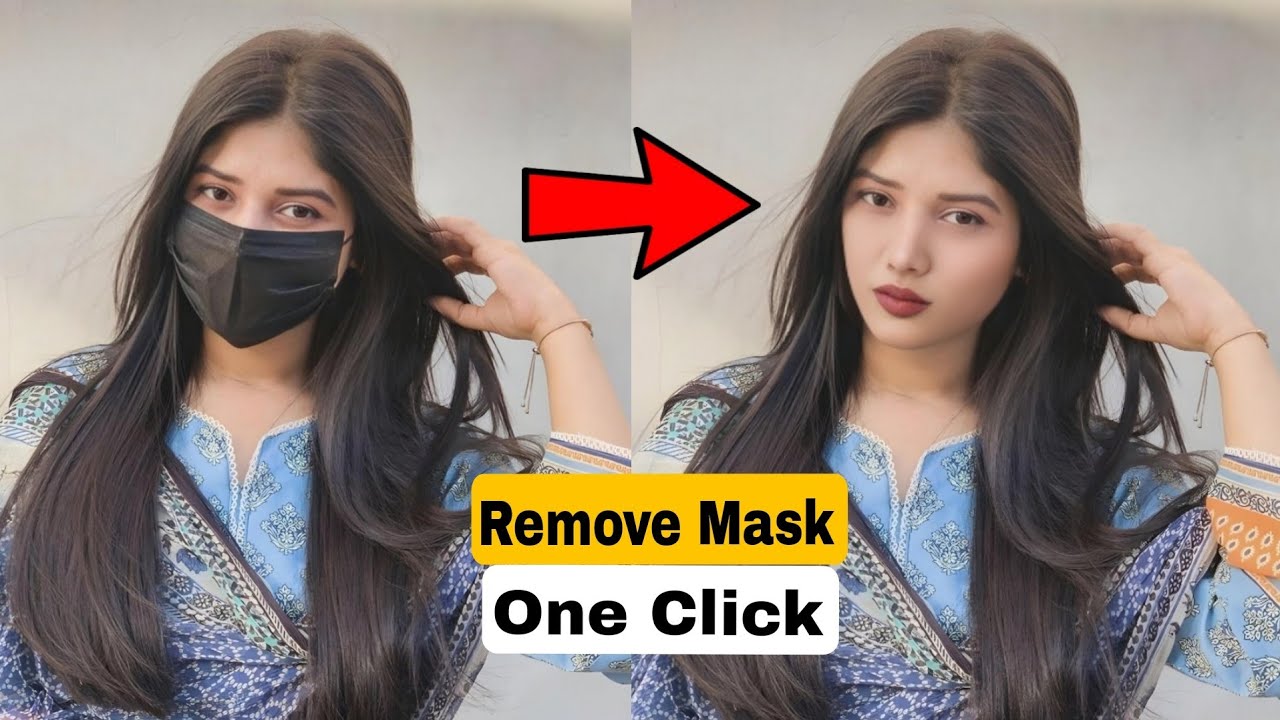
In recent years, artificial intelligence has revolutionized the way we interact with digital media. From editing photos to enhancing videos, AI tools have taken over tasks that once required expert skills. One of the latest additions to the AI-powered media toolkit is the Mask Remover — a tool that has gained popularity for its unique ability to remove masks, coverings, or overlays from images or videos. Whether you’re a content creator, photo editor, or just curious about the technology, this guide will walk you through everything you need to know about Mask Remover.
What is the Mask Remover?
The Mask Remover is an AI-based application or tool designed to intelligently detect and remove visual obstructions like face masks, filters, or overlays from digital content. Its core function relies on deep learning algorithms trained on vast datasets, enabling it to restore the original facial or background features that are hidden or covered.
Key Highlights:
AI-powered Image Processing Tool
Trained using facial reconstruction datasets
Mostly used in facial editing, restoration, or enhancement apps
Often integrated into video editing or photo retouching tools
It’s important to note that not all mask removers are ethical or privacy-compliant. Some might be used with malicious intent, so choosing a trustworthy and privacy-respecting app is crucial.

How Mask Remover Works
The working mechanism of a Mask Remover involves several AI and machine learning techniques, primarily image inpainting, face recognition, and GANs (Generative Adversarial Networks).
Step-by-Step Breakdown:
Image Upload or Capture: The user uploads an image or captures a new one via camera.
Detection Phase: AI detects the mask or overlay using object detection algorithms.
Prediction Layer: The software predicts what the hidden part of the face might look like using deep learning models.
Inpainting & Reconstruction: The masked area is digitally “painted over” using inpainting algorithms to reconstruct the original face.
Post-processing: The final result is rendered with blending and texture matching to ensure natural results.
AI Models Involved:
StyleGAN for facial generation
UNet for segmentation and inpainting
OpenCV and MediaPipe for facial landmark tracking
Features of Mask Remover [Completely Detailing]
| Feature | Description |
|---|---|
| AI-Based Mask Detection | Uses AI to detect and outline masked areas with high accuracy. |
| Face Reconstruction | Rebuilds the covered facial features using trained datasets and neural networks. |
| Batch Processing | Allows processing multiple images at once, ideal for commercial or studio use. |
| Privacy Filter | Some ethical apps offer blur or alert options before rendering the full result. |
| Video Editing Integration | Can be integrated with video tools to remove masks frame by frame. |
| User Interface | Simple and intuitive UI for beginners and professionals alike. |
| Export Options | Export in high-resolution formats such as PNG, JPG, or MP4. |
| Custom Mask Type Selection | Choose between surgical masks, fashion masks, or filters for removal. |
| Cloud Processing | Perform heavy operations in the cloud without affecting local device performance. |
| Cross-Platform Availability | Available as mobile apps (Android, iOS), web tools, and desktop software. |
| Pros | Explanation |
|---|---|
| Time-Saving | Automates complex editing that would take hours manually. |
| High Accuracy | Uses trained neural networks for precise facial reconstruction. |
| No Editing Skills Required | Beginner-friendly tool that requires no prior experience. |
| Multiple Format Support | Works with JPEG, PNG, GIF, MP4, and more. |
| Batch Editing | Process multiple files at once, boosting productivity. |
| Frequent Updates | Many apps receive AI model updates for better accuracy. |
| Cross-Device Support | Can be used on mobile phones, tablets, and PCs. |
| Free and Paid Versions | Offers flexibility based on user needs. |
| Cons | Explanation |
|---|---|
| Privacy Concerns | Could be used unethically to reveal identities. |
| Limited Accuracy for Some Faces | May not perform well with rare face shapes or angles. |
| Internet Dependency | Cloud-based apps require strong internet connectivity. |
| Ethical Limitations | Controversial usage in certain countries or platforms. |
| Watermark on Free Versions | Most free apps include watermarking. |
| Incompatible Devices | Some tools may not work on older phones or browsers. |
| Subscription Fatigue | Premium features often hidden behind paywalls. |
| Alternative | Description | Platform | Free/Paid |
|---|---|---|---|
| FaceApp | Popular face editing tool with aging, smile, and mask removal features. | Android, iOS | Freemium |
| PicsArt AI Tools | Offers AI editing with limited mask editing capabilities. | Android, iOS, Web | Freemium |
| Remini | AI photo enhancer that can reconstruct blurry or masked faces. | Android, iOS | Freemium |
| YouCam Perfect | Beauty camera with light overlay removal features. | Android, iOS | Freemium |
| Deep Image AI | Web-based tool focused on enhancement and object removal. | Web | Paid |
| Photoshop Generative Fill | Professional-level content-aware fill and inpainting tools. | Desktop | Paid |
| Remove.bg | Background removal tool, can sometimes isolate masked layers. | Web | Freemium |
| Fotor AI | Web editor with retouching and object removal tools. | Web, Desktop | Freemium |
The rise of AI-based tools like the Mask Remover reflects the growing intersection between technology, creativity, and convenience. While it can be incredibly helpful for editors, content creators, and developers, users must approach it with responsibility. The ethical implications surrounding privacy, consent, and digital manipulation cannot be overlooked.
When used ethically, Mask Remover tools can:
Help restore old or obscured images
Improve visual storytelling
Assist in creative projects and professional editing workflows
However, it is important to never misuse these tools to infringe on someone’s privacy or identity. Always choose trusted apps and platforms that prioritize ethical usage and data safety.