In the rapidly evolving world of video content, tools that make editing easy, powerful, and accessible are in high demand. One of the most popular choices among content creators globally is CapCut, a free video editing app developed by ByteDance, the parent company of TikTok. With the release of the CapCut 2025 New Version, creators are seeing a major upgrade in editing capabilities, AI tools, export options, and more.
This updated version is designed not just for social media influencers, but for professional editors, marketers, and casual users alike. In this guide, we’ll explore what the CapCut 2025 New Version is, how it works, its features, advantages, disadvantages, and alternatives.
What is the CapCut 2025 New Version?
The CapCut 2025 New Version is the latest iteration of the CapCut video editing software, offering enhanced editing tools, AI-driven automation, cloud syncing, and cross-platform integration. It’s a significant leap from previous versions, focusing on speed, convenience, and professional-level output — all while retaining its signature user-friendly interface.
This version is available for Android, iOS, Windows, Mac, and even offers a web-based editor, ensuring accessibility for users on any device. Whether you’re editing for TikTok, Instagram Reels, YouTube Shorts, or long-form video, the 2025 version of CapCut has evolved into a powerful all-in-one platform.
How CapCut 2025 New Version Works
CapCut 2025 uses both manual tools and AI-based automation to simplify the video creation process:
Import Media: Users can upload videos, images, and music from their device or cloud storage.
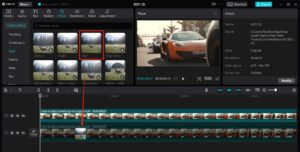
Editing Timeline: The intuitive timeline allows drag-and-drop editing, multi-layer support, and real-time previews.
AI Assistance: Features like auto-captioning, object removal, background blur, and scene recognition make editing fast and efficient.
Templates & Effects: Pre-built templates, transitions, and filters speed up content creation for beginners and social media creators.
Export & Share: Easily export in multiple formats and resolutions (up to 4K), and share directly to platforms like TikTok, YouTube, Instagram, etc.
Whether you’re a beginner or experienced editor, CapCut’s 2025 interface is built to optimize every step of the editing journey.
Features of CapCut 2025 New Version [Completely Detailing]
| Feature | Description |
|---|---|
| AI Video Editing Assistant | Uses AI to auto-edit, trim, stabilize, and enhance video clips for quick edits. |
| Auto Captions & Translation | Real-time speech-to-text with multi-language subtitle generation and auto-translation. |
| 4K Export & Frame Rate Support | Supports 4K UHD exports at 30/60 fps, ideal for professional and YouTube-grade content. |
| Object Removal | AI-based feature to erase unwanted elements from video scenes without affecting the background. |
| Green Screen Editing | Advanced chroma key support to remove and replace backgrounds smoothly. |
| Motion Tracking | Track subjects in the video and attach texts, stickers, or effects to follow them accurately. |
| Dynamic Templates | Thousands of new templates including 2025 trends for TikTok and Reels creators. |
| Cloud Syncing | Seamless cloud syncing across devices for editing continuity and project safety. |
| Voice Effects & Music Library | Hundreds of voice changers, sound effects, and royalty-free background music options. |
| Team Collaboration Tools | Collaborate with others in real-time, leave comments, and share edits securely. |
| Pros | Details |
|---|---|
| Free to Use | Offers most features at no cost, making it accessible for all users. |
| User-Friendly Interface | Beginner-friendly with a drag-and-drop layout and intuitive controls. |
| Cross-Platform Availability | Available on mobile, desktop, and web browsers. |
| AI-Powered Efficiency | Automates complex edits, saving time and effort. |
| Rich Media Library | Built-in music, sound effects, filters, and transitions. |
| Cloud Backup & Syncing | Safeguards your work and provides access on any device. |
| Professional Output Quality | Supports 4K exports with high bit rates. |
| Social Media Integration | One-click export to platforms like TikTok, Instagram, and YouTube. |
| Cons | Details |
|---|---|
| Occasional Export Bugs | Some users report lag during high-resolution video exports. |
| Requires Internet for Sync | Full cloud syncing and collaboration require a stable internet connection. |
| Limited Custom Plugins | Compared to software like Adobe Premiere Pro, lacks support for third-party plugins. |
| Mobile vs Desktop Disparity | Some features are exclusive to either mobile or desktop platforms. |
| Privacy Concerns | As a ByteDance product, some users are wary about data privacy and analytics tracking. |
| Learning Curve for Advanced Edits | Professional users may find the tool limiting for complex animations or color grading. |
| Alternative | Key Features | Best For |
|---|---|---|
| Adobe Premiere Rush | Multi-platform editor with Adobe Cloud sync, pro-level timeline. | Intermediate to pro editors |
| InShot | Mobile-friendly with filters, transitions, and stickers. | Social media creators |
| KineMaster | Layer-based editing, chroma key, and voiceovers. | YouTubers, vloggers |
| VN Video Editor | Advanced timeline control, effects, and 4K export. | Creators needing flexibility |
| Filmora | Desktop software with visual effects, overlays, and templates. | Semi-professional editors |
| iMovie (Mac/iOS) | Simple editing, themes, and transitions. | Beginners and Apple users |
| Canva Video Editor | Template-based with drag-and-drop timeline. | Marketers, content creators |
The CapCut 2025 New Version stands out as a dynamic and reliable video editor for creators of all experience levels. It combines the ease of use expected from mobile editors with the power of desktop software — all for free. Its AI-driven features, cloud capabilities, and social media-ready tools make it a top contender for content creators in 2025.
Whether you’re editing a TikTok dance, a YouTube vlog, or a client presentation, CapCut 2025 has the tools to help you create polished, professional-looking videos quickly. While it may not replace high-end software like Premiere Pro for complex projects, it is undoubtedly one of the most user-friendly and capable editors available today.